You are losing a day a week to no-shows, missed calls and double-bookings
You cannot answer the phone while your hands are busy. So the call goes to voicemail, the customer books somewhere else, and the one who did book never turns up — leaving an hour of paid time with nothing in it.
 AI-generated image
Sound familiar?
- Customers call while you are mid-job, and by the time you call back they have booked elsewhere.
- Two appointments end up in the same slot because the diary lives in two places.
- Somebody simply does not show, and the hour is gone — you cannot sell it twice.
- A single cancellation at 9am unravels the rest of the day, and you re-plan it by phone.
- You find out someone is off sick only when they fail to arrive at the customer.
- Evenings go on confirming tomorrow by text, one message at a time.
What you get back
Every slot on your calendar becomes one you can actually deliver: staffed, equipped, and confirmed without you touching it. Bookings arrive while you are mid-job, confirmations send themselves, and a cancellation puts the hour straight back on sale instead of writing it off.
How Capwork fixes it
- 1
Customers book themselves, around your real availability
Your booking page only ever offers slots that genuinely work — it checks opening hours, who is actually working, their skills, and whether the van and tools are free. There is no such thing as a slot you cannot deliver, so a double-booking cannot be created in the first place.
- 2
Every booking confirms itself
The moment a slot is taken, Capwork sends the confirmation on your behalf — by email, or by SMS when the customer left no address — with nothing to connect or configure. You stop spending evenings retyping the same message.
- 3
A cancellation clears itself up
When a booking falls through, everything it was holding — the person, the van, the tools, the materials — is released in one go and the slot goes back on your booking page. You see exactly what will be freed before you confirm it.
- 4
When somebody is off, you see the cover before it happens
Holiday and sick leave feed straight into availability, so nobody can be booked for work they are not there for. Mark a person absent and Capwork works out who else holds the right skills and has a free window, then shows you the swap before anything changes. If nobody can cover, the booking is released and the customer is asked to rebook.
- 5
Reminders before the appointment
Customers who tick it on the booking form get a reminder at 17:00 the day before — by SMS, or by email when they gave no number — sent by Capwork on your behalf. The people who would have forgotten get their nudge without you having to remember.
- 6
A cancellation refills itself
When a slot frees up, customers with a later appointment for the same service who asked to be told are offered it — one at a time, ten minutes each, soonest appointment first. Whoever says yes is moved over and confirmed, and their old slot is offered on in turn.
See it with real data
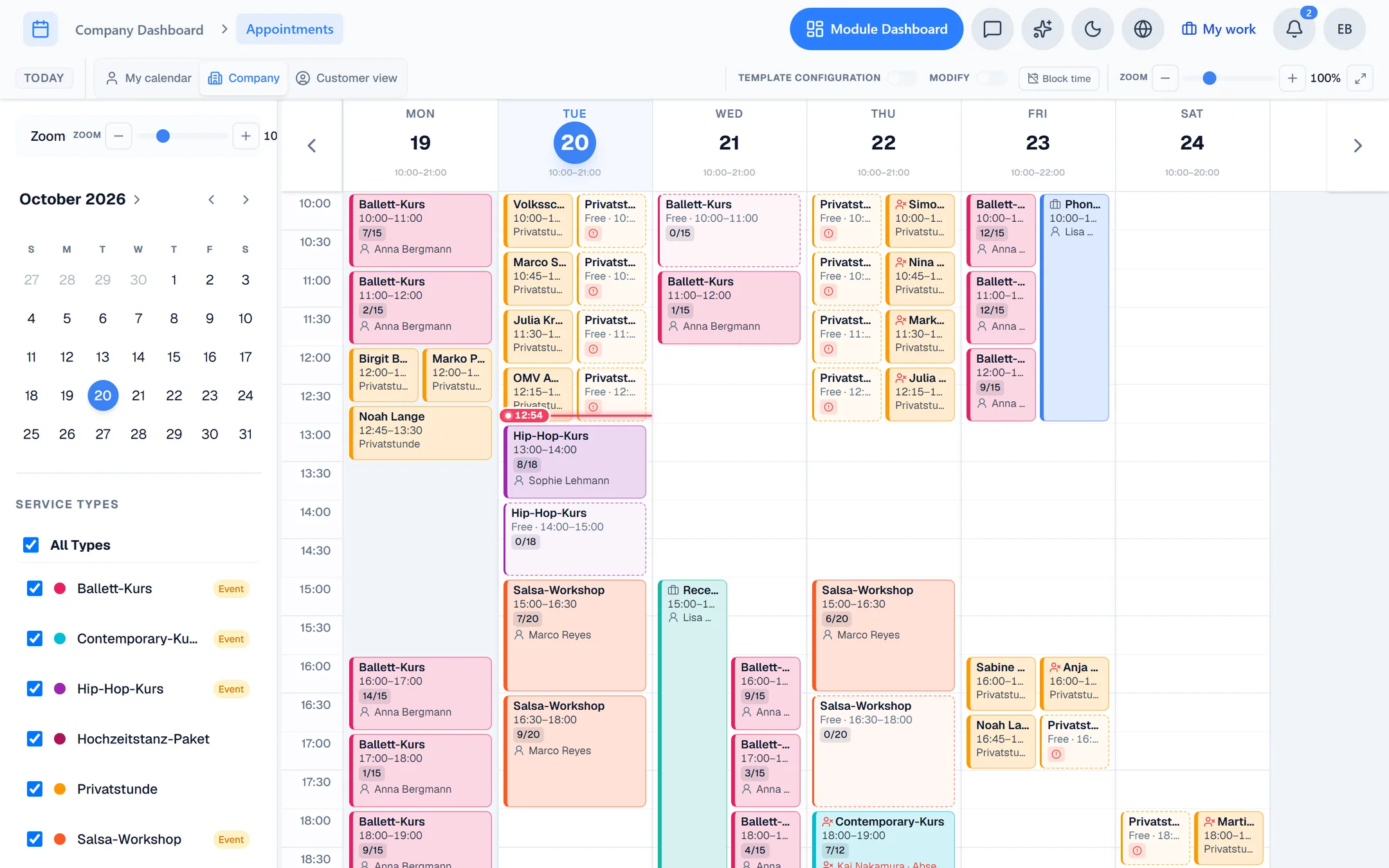
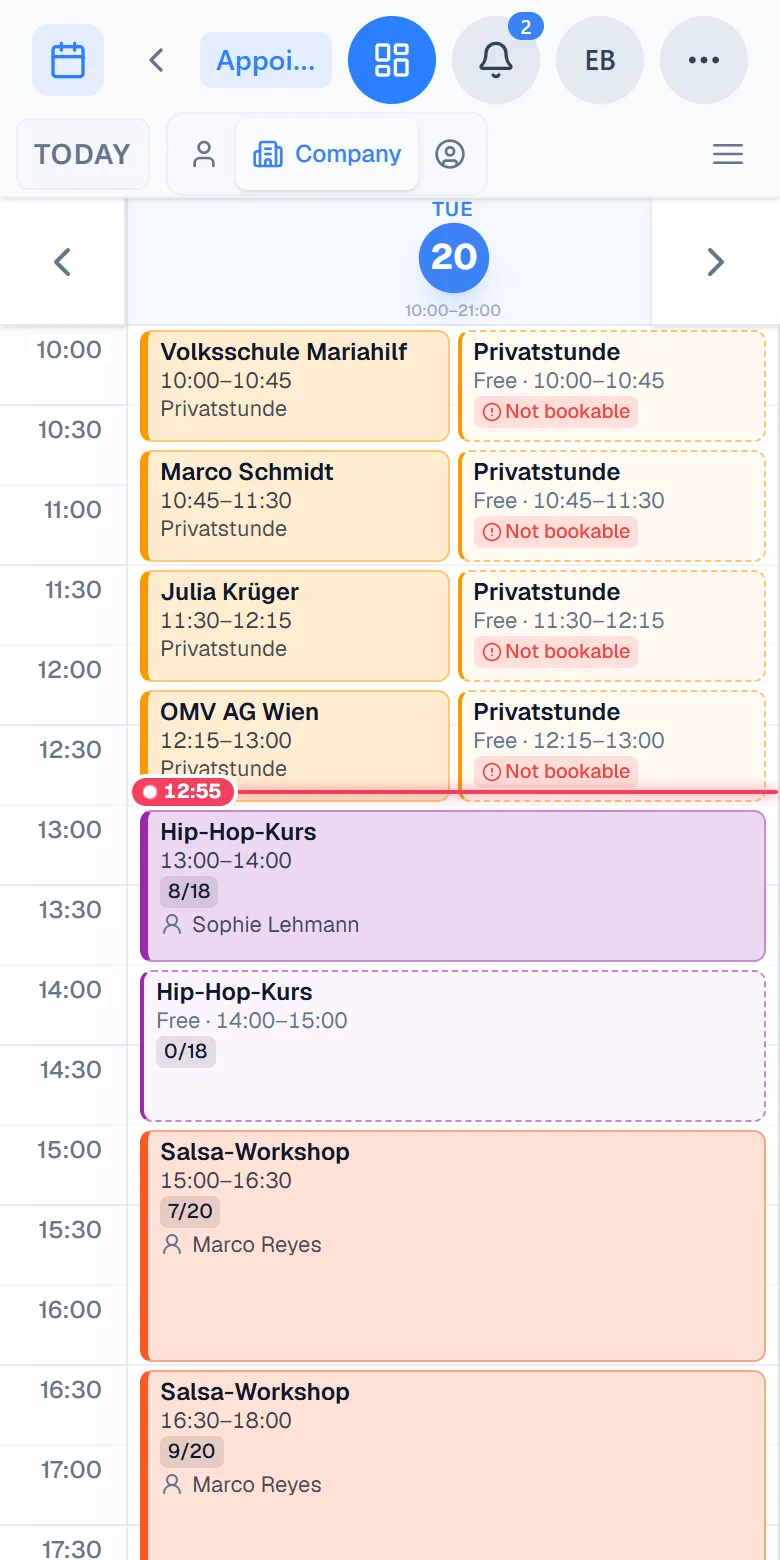
Open a fully populated example business — staff, skills, vehicles, a live diary — and mark somebody off sick to watch Capwork propose the cover. No signup, nothing to install.
What you need for this
Usage-based, so a quiet month costs less. Start with scheduling alone and add the rest when it earns its place.
FAQ
Most do, once they can. The booking page works on a phone, needs no account, and is available at the times people actually think about booking — evenings and weekends, when you are not answering the phone anyway. Calls still come in; there are just far fewer of them, and they are no longer the only way in.
Availability is derived, not typed in. Capwork intersects your opening hours with who is working, the skills the job needs, and whether the required vehicle, room or equipment is free. If any of those is missing, the slot is never offered.
Yes. Phone, walk-in and online bookings all land in the same diary and reserve the same people and equipment, so the two can never disagree.
The booking releases everything it was holding — the person, the vehicle, any tools and materials — and the slot goes straight back on your booking page for somebody else to take. You see the full list of what will be freed before you confirm. Customers with a later appointment for the same service who asked for it are offered the freed time one after another. Only someone who says yes is moved — nobody is moved against their will.
Yes. Every customer can tick a reminder on the booking form and gets one at 17:00 the day before, by SMS or email, sent by Capwork on your behalf. Bookings made on the day before or on the day itself get no reminder — the customer has only just chosen the time.
No. Scheduling works on its own. Customers, finances, stock and the rest are separate modules you add when you need them, and you only pay for what you use.
More you can put right
Online booking
Online appointment booking for your website
Enquiries in five places
Get every customer enquiry into one inbox
Where the money goes
Know where your money actually goes
Team, vans and kit
Who is qualified, who is in, which van is free
Staff roster
Staff roster online — with bookings and hours balances
Planning the day
Plan the week without re-planning it twice
Running out of stock
Stop jobs stalling on a missing part
Services in 24 languages
A service catalog in 24 languages, with product images
Customer records
Customer records that keep themselves up to date
Fleet under control
Fleet management: due dates, logbook and reservations
Suppliers at a glance
Supplier management — straight from your invoices
Nothing slips through
Tasks and approvals: so nothing slips through
Get your week back
Set up your services and opening hours, and your booking page is live the same day.