Everyone thought someone else was dealing with it
The note on the fridge door, yesterday’s group message, the “I’ll do it in a minute” at shift change. There is no shortage of tasks — just no single place where they all live. So you find out on Saturday night that the mozzarella is running low, and only in the morning whose appointments nobody is covering today.
 AI-generated image
Sound familiar?
- Tasks live on notes, in group messages and in people’s heads — and everyone thinks a different list is the real one.
- The mozzarella runs out on Saturday night because nobody said it was getting low.
- Someone calls in sick, and only in the morning does it turn out whose appointments nobody is covering.
- Decisions sit waiting because nobody knows they are waiting for you.
- Finished work stays on the list until nobody takes the list seriously any more.
- Who does what by when is agreed out loud — and forgotten out loud.
What you get back
One list for the whole business that partly writes itself: what Capwork notices — material running low, a deadline coming due, a sick note with uncovered appointments — becomes a task for the right person and disappears by itself once the cause is gone. Whatever needs your decision arrives as a suggestion to approve, not as a surprise.
How Capwork fixes it
- 1
One list, three views
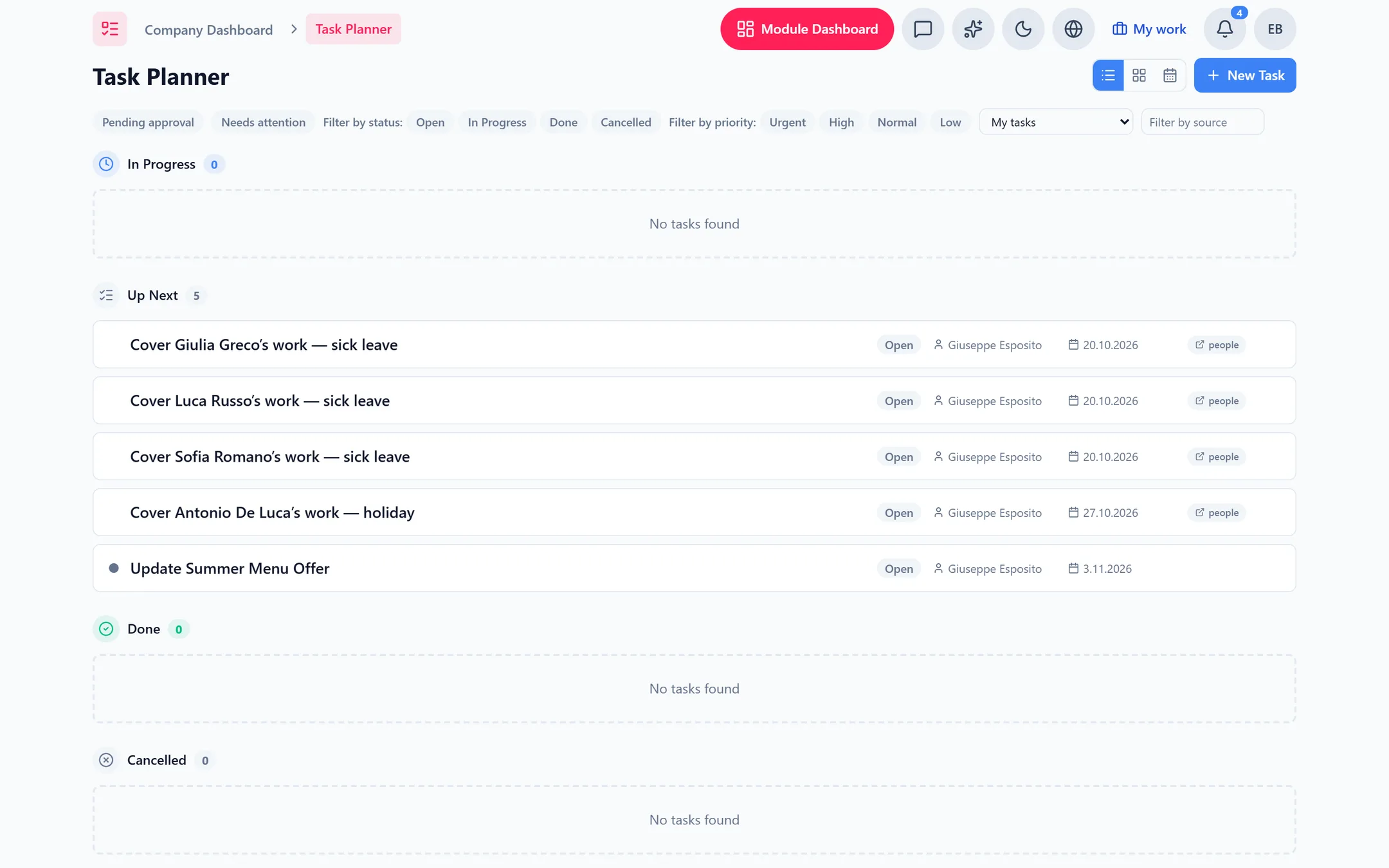
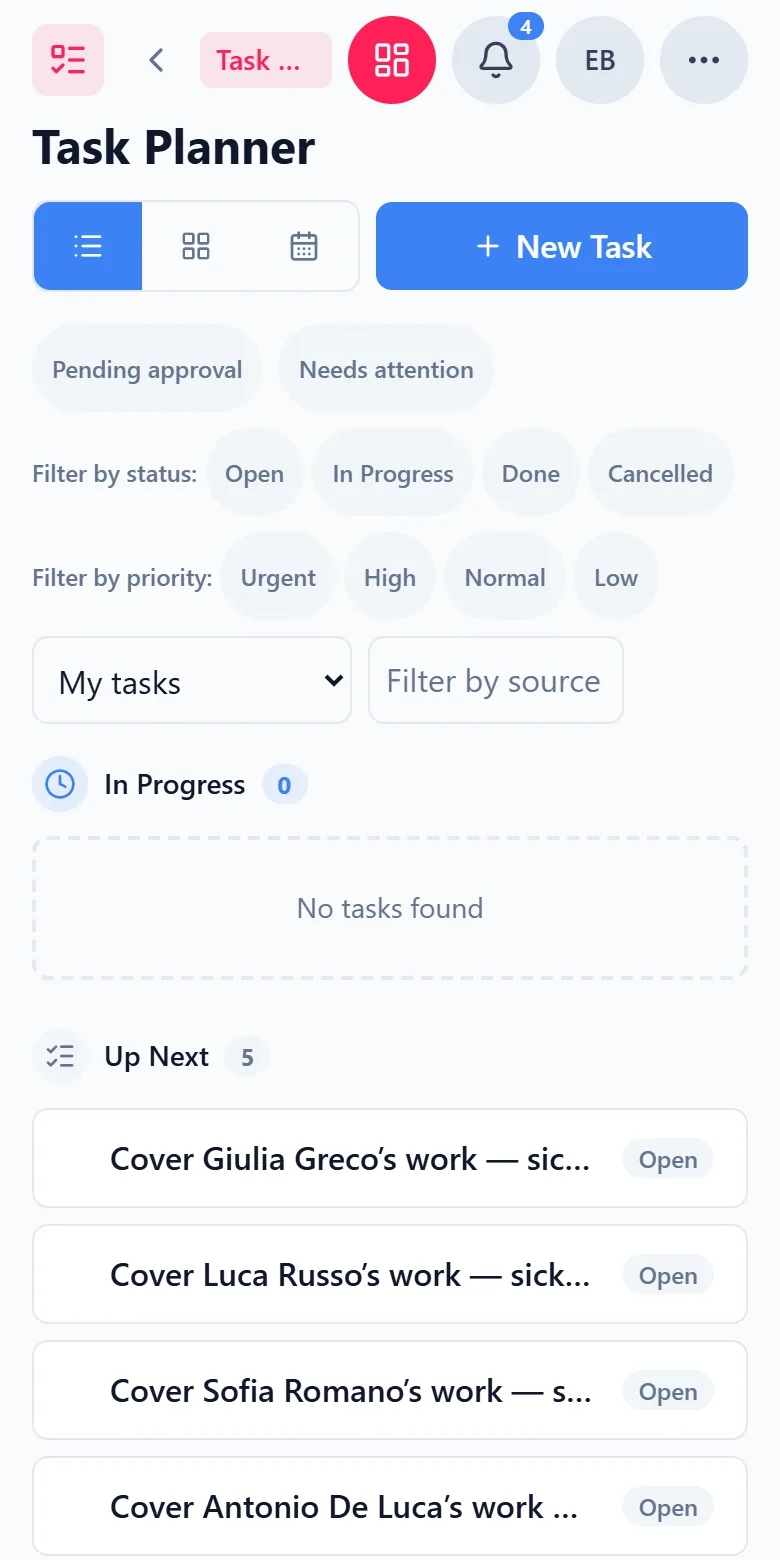
Every task in the business as a list, as a board where you drag cards between statuses, or in the calendar. Filters show what you need right now, and anything overdue carries a badge.
- 2
Capwork suggests, you decide
Suggestions arrive as approval tasks: reorder a material that has dropped below its minimum, schedule maintenance after a damage report, take the steps that follow from a message in the inbox. You approve, or reject with a reason. Approve a reorder and you see the finished message to the supplier, can change it and send it with your confirmation — nothing is ordered by itself. If sending fails, it becomes a task to order by hand.
- 3
Tasks that create and close themselves
A vehicle’s inspection, service or insurance coming due, low stock, a calibration due, a deadline on a job, a job that has stalled, a messaging channel with problems, sick leave about to end: Capwork raises the task when the time comes and closes it once the cause is gone.
- 4
When someone is off, the right person knows
If someone is off sick and appointments or tasks are left uncovered, their manager gets a task — their direct manager, otherwise the team lead, otherwise the owner; anyone who is away themselves is skipped. If none of them is in, the task stays unassigned in the task list until someone picks it up. The cover review is built right in: hand the work to a qualified colleague, release it, or ask the customer to rebook. Once everything is covered, the task closes itself.
- 5
The bell shows what is waiting on you
Pending approvals and high-priority or urgent system tasks assigned to you gather in one place. You see at a glance where your decision is needed.
- 6
Tasks are tied to the rest of the business
A task links people, vehicles, materials, tools, jobs and conversations; the materials and tools it needs are reserved for it. Planning happens in order planning — the planned work then lands in the task list of whoever does it.
See it with real data
Open an example pizzeria with its team, its stock and a business in full swing. See which tasks are waiting on whom, drag a card on the board to the next status and look at what is under the bell. No signup, nothing to install.
What you need for this
No base fee. Tasks are billed per task, once when it is created; editing, moving and completing it cost nothing. Whatever raises the tasks — stock, vehicles, team, jobs, inbox — are separate modules and billed separately.
FAQ
A vehicle’s inspection, service or insurance coming due, material below its minimum, a calibration due, job deadlines, jobs that have stalled, problems with a messaging channel and sick leave about to end. On top of that comes the cover task when someone is off sick and appointments or tasks are left uncovered.
It closes itself. Once the stock is topped up, the service is recorded or the cover is sorted, the task drops off the list — nobody has to tick off what is already done.
Only as far as you confirm. Approve a reorder and you first see the message to the supplier; it is only sent once you confirm it. If you reject, you give a reason, so it stays clear why.
If appointments or tasks are left uncovered, the responsible manager gets a task: the direct manager, otherwise the team lead, otherwise the owner. Anyone who is away themselves is skipped; if none of them is in, the task stays unassigned. Inside the task each appointment is decided — handed over, released, or the customer asked to rebook.
Planning happens in order planning, with people, vehicles and materials. From there the planned work lands in the task list of whoever does it — Tasks is where everyone sees what there is to do.
There is no base fee. Billing is per task, once when it is created; editing, moving and completing it are included. The modules that tasks come from are billed separately. The current prices are on this page.
More you can put right
Online booking
Online appointment booking for your website
No-shows and double-bookings
Stop no-shows and double-bookings
Enquiries in five places
Get every customer enquiry into one inbox
Where the money goes
Know where your money actually goes
Team, vans and kit
Who is qualified, who is in, which van is free
Staff roster
Staff roster online — with bookings and hours balances
Planning the day
Plan the week without re-planning it twice
Running out of stock
Stop jobs stalling on a missing part
Services in 24 languages
A service catalog in 24 languages, with product images
Customer records
Customer records that keep themselves up to date
Fleet under control
Fleet management: due dates, logbook and reservations
Suppliers at a glance
Supplier management — straight from your invoices
Give the sticky notes a home
Add your first tasks — everything Capwork notices by itself joins them on its own.