Your price list speaks one language, has no photos and is never quite up to date
The customer from Trieste asks in Italian, the wedding bouquet exists only as a line reading “bouquet, large”, and nowhere does it say that the table flowers need a day’s preparation and the delivery van. Capwork turns your list into a catalog you maintain once — translated, illustrated and linked to everything a service actually needs.
 AI-generated image
Sound familiar?
- Customers ask in English, Italian or Hungarian — and your price list exists in one language only.
- There is never time for proper product photos, so the website shows phone snaps, stock images or nothing at all.
- “Bouquet small”, “bouquet medium”, “bouquet large”: three entries, three prices, three durations, all of them to keep up to date.
- That a service needs two people, the van or one particular tool is known only to whoever has been around longest.
- Somebody books in the morning for that afternoon a job that needs a day’s preparation.
- A new price is on the sign in the shop but not on the website yet — or the other way round.
What you get back
You maintain each service exactly once. Capwork translates it into all 24 official EU languages, suggests product images in one consistent studio style and knows who and what it needs. Your booking page and customer portal show every customer your catalog in their own language — and only what you can actually deliver is offered.
How Capwork fixes it
- 1
Enter it once, bookable in 24 languages
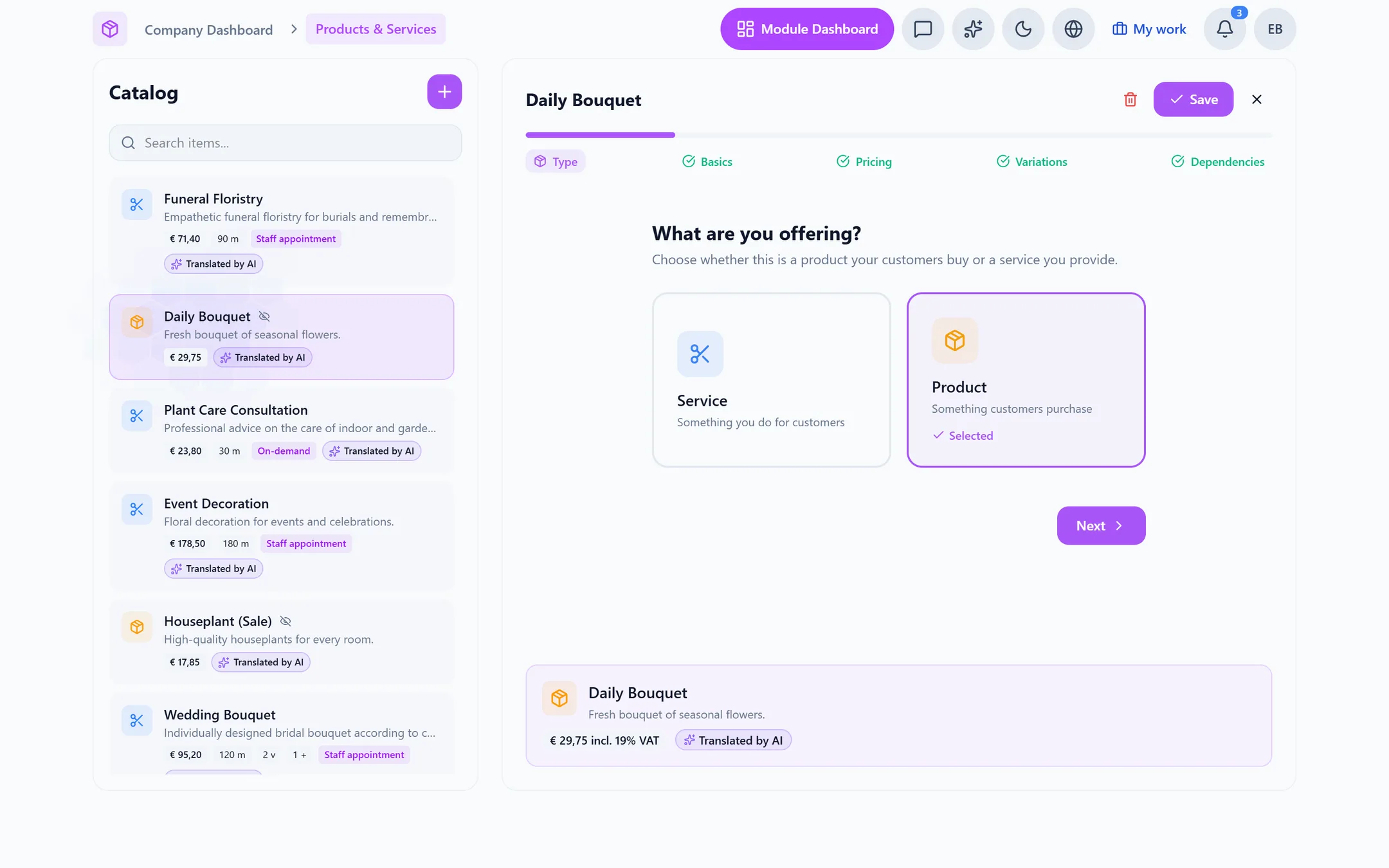
Create a service in your own language and Capwork translates it in the background with AI into all 24 official EU languages — when you create it and again on every edit. Your customers see the booking page and the customer portal in their language; you keep working in yours.
- 2
Product images without a photo shoot
When you create a service, and whenever you change its name or description, Capwork generates four image suggestions in one consistent studio style, so your whole catalog looks of a piece. If none of them fits, generate new ones — or upload your own photo.
- 3
One entry with variants instead of three entries
Variants and add-ons change both price and duration: the large bouquet costs more and takes longer, the printed ribbon comes as an add-on. Each variant and add-on can carry its own minimum booking notice. You enter prices gross, Capwork works out the net amount, and you set the currency per item.
- 4
Every service knows what it needs
Record which positions or skills, which vehicle types, tools and materials a service needs — even just a share of a person’s time, say a stylist looking after two clients while the colour sets. Booking and planning only offer what genuinely fits, and reserve exactly that.
- 5
Three ways to book — at your place or the customer’s
As an appointment with your staff, as a scheduled slot with places — for classes or tables — or on demand, where Capwork finds suitable staff. Any service can take place at your premises or at the customer’s address; then the address is asked for at booking. The minimum notice applies to customers only: your team can still book at short notice.
- 6
Packages made of several steps
Build a service from steps in a fixed order with gaps in between — say arranging in the workshop, setting up on site, clearing away the next day. The customer never sees internal steps, the same person and the same vehicle are kept across every step, and each step can carry a price of its own.
See it with real data
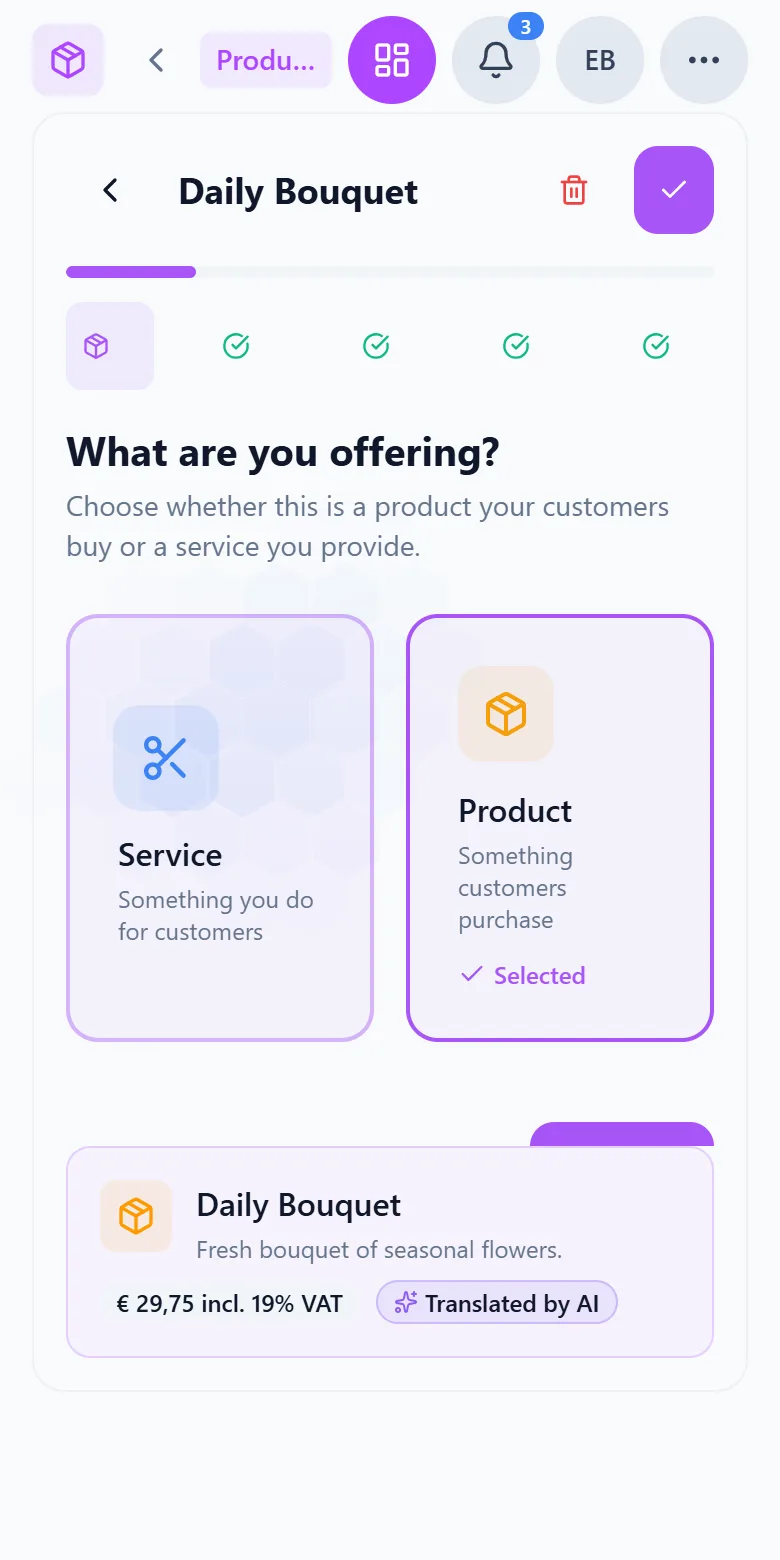
Open an example florist and one of its services: you see the translations into all 24 languages, the image suggestions, variants and add-ons with their price and duration, and the staff, vehicle and materials the service needs. No signup, nothing to install.
What you need for this
No base fee. The catalog is billed per active resource, that is per active catalog item per month, averaged over the month — the cost grows with the number of services you offer, not with the number of bookings. Appointments and customers are modules of their own and are billed separately.
FAQ
All 24 official EU languages. The translation runs in the background whenever you create or change a service and is built on established AI models running in EU regions. Your customers see the booking page and the customer portal in their own language, while you keep maintaining the catalog in yours.
No. They are AI-generated suggestions — four per round, all in the same studio style, so the catalog looks consistent. If none fits, generate new ones. Where the exact look matters, such as one particular bouquet, simply upload your own photo.
With variants and add-ons inside a single entry. Every variant and every add-on can change price and duration and carry its own minimum booking notice. Instead of “haircut short”, “medium” and “long”, you maintain one haircut with three variants.
Only if you let them. You set a minimum booking notice per service, and customers then only see times far enough ahead. The limit applies to customers alone — your team can still book inside the notice period when it works out.
You set that on the service, and the address is asked for at booking. If the service needs a vehicle of a particular type, tools or materials, they are reserved together with the person — and only a time when everything is free is offered.
Yes, as a composable package: steps in a fixed order, with gaps in between and, if you like, a price per step. Internal steps such as preparation stay invisible to the customer, and the person and vehicle stay the same across every step.
There is no base fee. Billing is per active catalog item per month, averaged over the month. The current prices are on this page. The first 14 days are free; no payment method is needed for them.
More you can put right
Online booking
Online appointment booking for your website
No-shows and double-bookings
Stop no-shows and double-bookings
Enquiries in five places
Get every customer enquiry into one inbox
Where the money goes
Know where your money actually goes
Team, vans and kit
Who is qualified, who is in, which van is free
Staff roster
Staff roster online — with bookings and hours balances
Planning the day
Plan the week without re-planning it twice
Running out of stock
Stop jobs stalling on a missing part
Customer records
Customer records that keep themselves up to date
Fleet under control
Fleet management: due dates, logbook and reservations
Suppliers at a glance
Supplier management — straight from your invoices
Nothing slips through
Tasks and approvals: so nothing slips through
Show what you offer in every language
Create your first service — the translations and image suggestions arrive by themselves while you add the next one.