What you spent at the wholesaler this year — only the invoice folder knows
Suppliers live in a spreadsheet nobody maintains, on old invoices and in the phone of whoever ordered last. The same wholesaler turns up three times, someone hunts for your customer number with every order, and how much you buy where only becomes clear when your accountant asks. Capwork builds your supplier list from the invoices that arrive anyway.
 AI-generated image
Sound familiar?
- The same wholesaler is on the list three times — once with “Ltd”, once without, once with a typo.
- Someone digs out your customer number at the supplier from an old invoice with every order.
- How much you buy from whom only becomes clear when your accountant asks.
- Nobody can say who last changed a supplier’s bank details.
- How long a part takes to arrive is known only to whoever ordered it last — by then the job is long planned.
- Reordering means finding the phone number, finding the customer number, typing the message.
What you get back
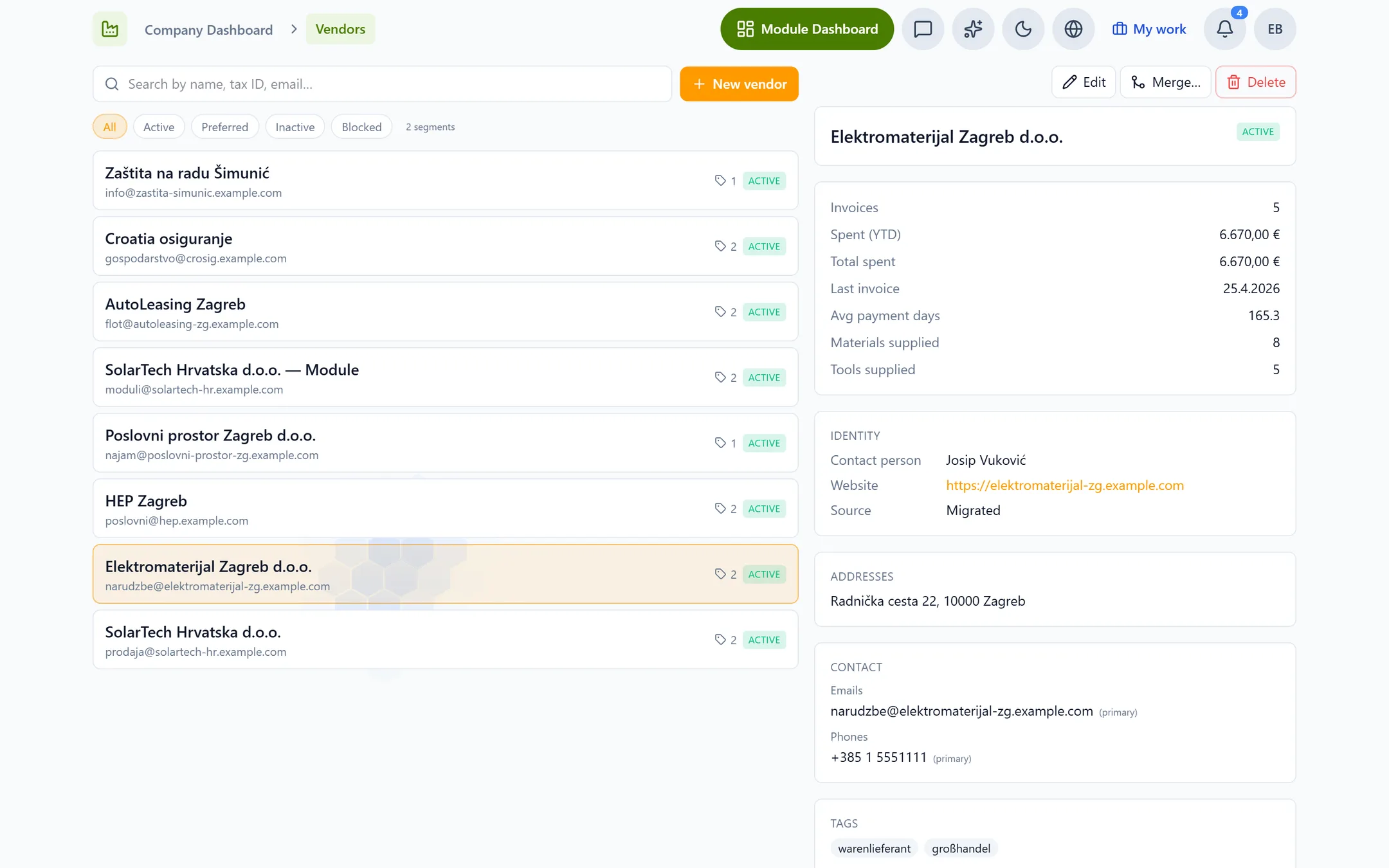
Your supplier list maintains itself from the invoices you scan anyway: every supplier is there once, with their figures, their lead time and the channel you order on. You see where your purchasing goes, bank details are protected and every change can be traced — and when material runs low, the order is one click away.
How Capwork fixes it
- 1
Suppliers come out of your invoices
When you scan a supplier invoice in Finances, Capwork looks for the matching supplier — first by tax number, then by exact name. A similar but not identical name is shown to you as a possible duplicate; if there is no match, the supplier is created and marked “Needs review”. The invoice import is never held up by any of this.
- 2
The figures per supplier work themselves out
Number of invoices, spend this year and in total, last invoice, average days to pay, and the materials and tools they supply. The overview shows your active suppliers, how many still need review and who has received the largest share of your purchasing this year.
- 3
Merge duplicates without losing anything
If the same supplier appears twice, you merge the entries. Invoices, transactions, recurring transactions, materials and tools then point to the supplier that remains — the history stays complete.
- 4
Bank details only for those who need them
A supplier’s bank details are visible only to people with the banking permission. Every IBAN change is logged with its last four digits — who changed what, and when, can always be traced.
- 5
Everything you need to order, in one place
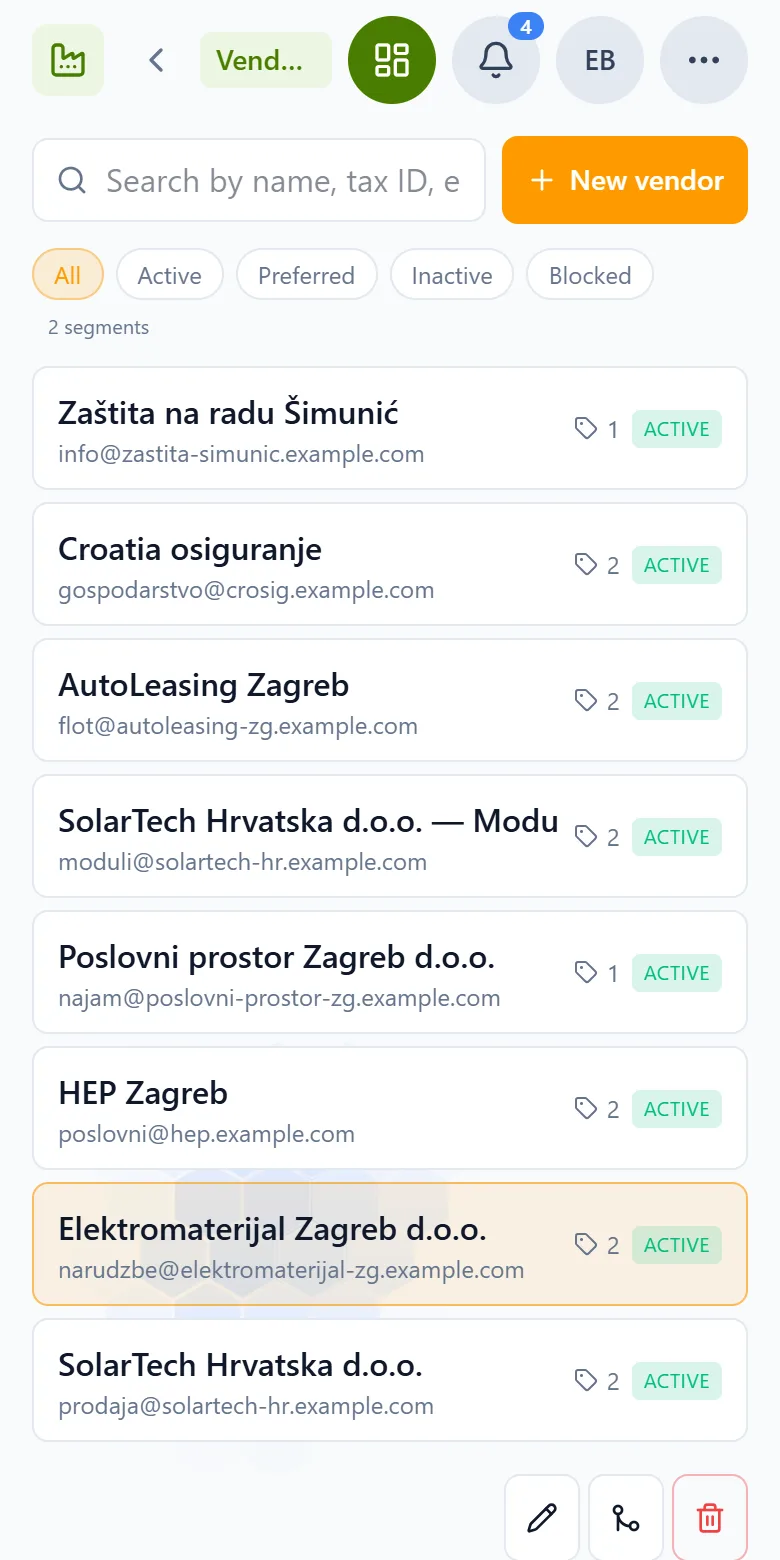
A status of active, preferred, inactive or blocked, a consecutive supplier number, your customer number at the supplier — read from their invoices — and the channel you order on: email, WhatsApp or SMS. The lead time you enter for the supplier feeds material planning: when stock will not cover a planned job, order planning shows by when the order has to go out.
- 6
Reorder: check, confirm, done
In Inventory, one click on “Reorder” opens the finished order message to the material’s supplier, with the quantity and your customer number. You check or change it and confirm; it then goes out on their default channel, and a task to follow it up is opened. If sending fails, Capwork opens a task to order by hand instead.
See it with real data
Open an example electrical contractor with its wholesalers, invoices and materials. See who you bought the most from this year, how quickly invoices are paid and where a reorder from Inventory would go. No signup, nothing to install.
What you need for this
No base fee. Suppliers are billed per supplier per month. For suppliers to create themselves from scanned invoices you need Finances; to reorder from stock, Inventory — both are billed separately.
FAQ
No. Scan your supplier invoices in Finances and Capwork matches each invoice to a supplier — by tax number, then by exact name — or creates a new one and marks it “Needs review”. You look over the new entries instead of typing them in.
Capwork already shows you a similar but not identical name as a possible duplicate during the import. If two entries are the same supplier, you merge them: invoices, transactions, recurring transactions, materials and tools then point to the entry that remains.
Only people with the banking permission. Every IBAN change is logged with its last four digits, so you can trace who changed it and when.
No. In Inventory, “Reorder” opens the finished order message; only once you confirm it does it go to the material’s supplier on their default channel, and Capwork opens a task to follow it up. Whether and when to order stays your decision.
The lead time you enter for a supplier feeds material planning. When stock will not cover a planned job, order planning shows the date by which you have to order so that the material arrives in time.
No. Capwork shows what you spend with each supplier, how many invoices there are and how quickly you pay. There is no price comparison between suppliers.
There is no base fee. Billing is per supplier per month. Finances, where suppliers come from, and Inventory, where you reorder from, are separate modules and billed separately. The current prices are on this page.
More you can put right
Online booking
Online appointment booking for your website
No-shows and double-bookings
Stop no-shows and double-bookings
Enquiries in five places
Get every customer enquiry into one inbox
Where the money goes
Know where your money actually goes
Team, vans and kit
Who is qualified, who is in, which van is free
Staff roster
Staff roster online — with bookings and hours balances
Planning the day
Plan the week without re-planning it twice
Running out of stock
Stop jobs stalling on a missing part
Services in 24 languages
A service catalog in 24 languages, with product images
Customer records
Customer records that keep themselves up to date
Fleet under control
Fleet management: due dates, logbook and reservations
Nothing slips through
Tasks and approvals: so nothing slips through
Turn the invoice folder into a supplier list
Scan last month’s invoices — your suppliers create themselves as you go.